Player guide
Small goals. Little celebrations.
Quests give your session a goal beyond the next spin. Open Quests to see the campaigns and tasks available to your account.
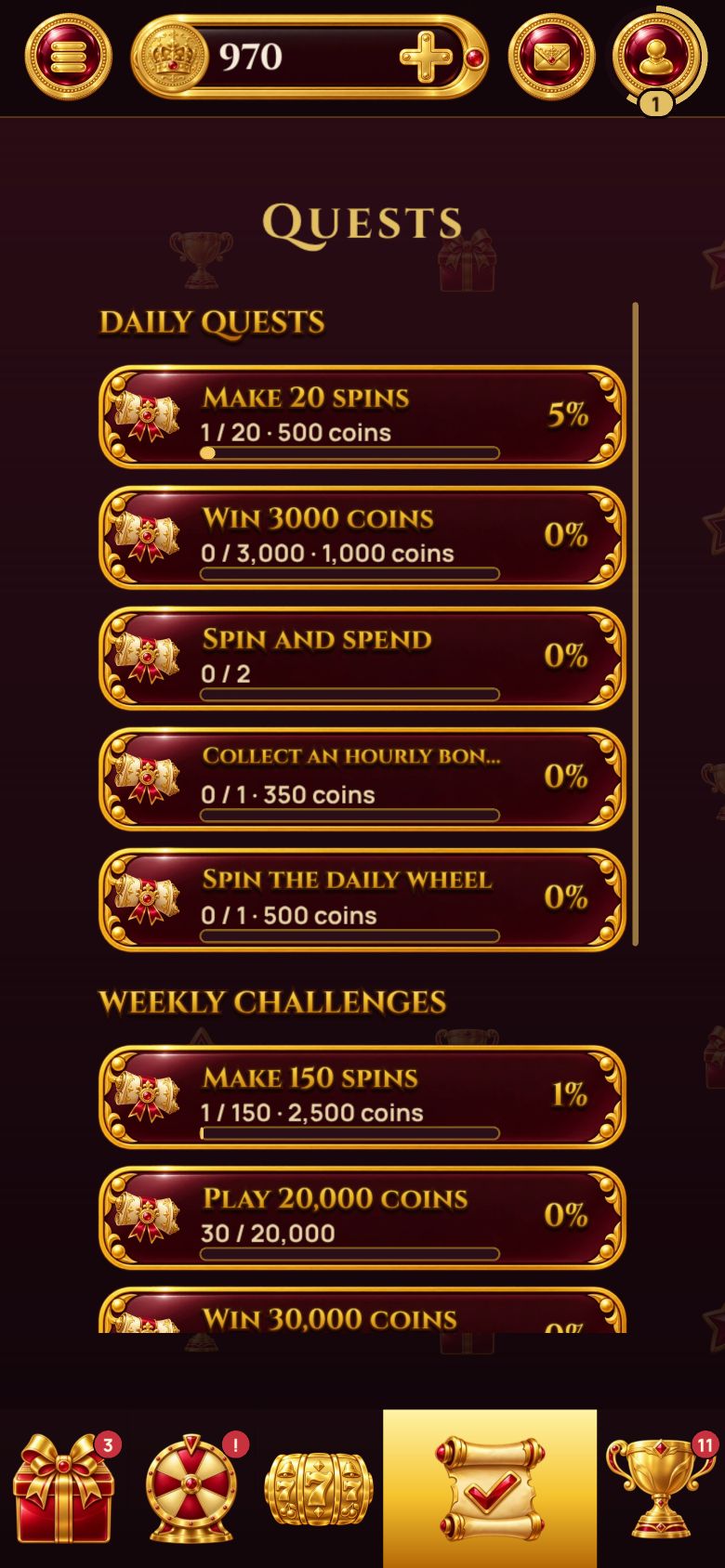
Preview of the upcoming game update. Your installed version may look different.
Check what actually counts
Two quests that look similar can have different conditions: a number of rounds, rounds on a particular machine, a bet threshold, or another activity. Read the task’s wording before choosing a machine or changing your bet. Increasing a bet does not automatically speed up a quest.
Tasks and campaigns are not fixed forever. A daily task, weekly challenge or event can have different rules and availability. The active list in the app is the source of truth.
Completion and claiming are separate
Once a goal is complete, look for its claim action. Claiming adds the advertised reward according to that quest’s conditions. Do not assume that simply closing the quest window collects every completed task.
If the button is not available, check the task state and any campaign dates. An expired campaign can have different claim rules from one that is still active.
If progress looks delayed
Wait for the current round to finish and the app to reconnect. Progress records the completed activity, so it may not change during a reel animation. Reopen Quests after the result is displayed.
If the counter is still wrong, send support the task name, approximate time, machine and a screenshot. Never send a password or login token. Contact support.
Play at your own pace
A quest is an optional game goal. You do not need to buy COINS, finish every campaign or keep playing when you want a break. Rewards are virtual COINS or in-game items, without cash value.
Next, explore the leaderboard or scheduled bonuses.